The virtual host for your group sessions
Arkeo leads memory games, riddles and gentle movement on the room's screen. Your team supports, Arkeo hosts.
30-day free trial with the code we send you. No card, no commitment.
Responds to voice
The group answers out loud. They can ask for “a hint” or “repeat”.
No camera, no recording
Speech is recognised on the computer itself and never leaves it.
Works without internet
No connection is needed during the session.
Four languages
Español, català, English and français.
A real session, adapted to your group
You choose the length and the level of the group. Arkeo introduces each activity, waits for the answers, gives hints and celebrates the right ones.
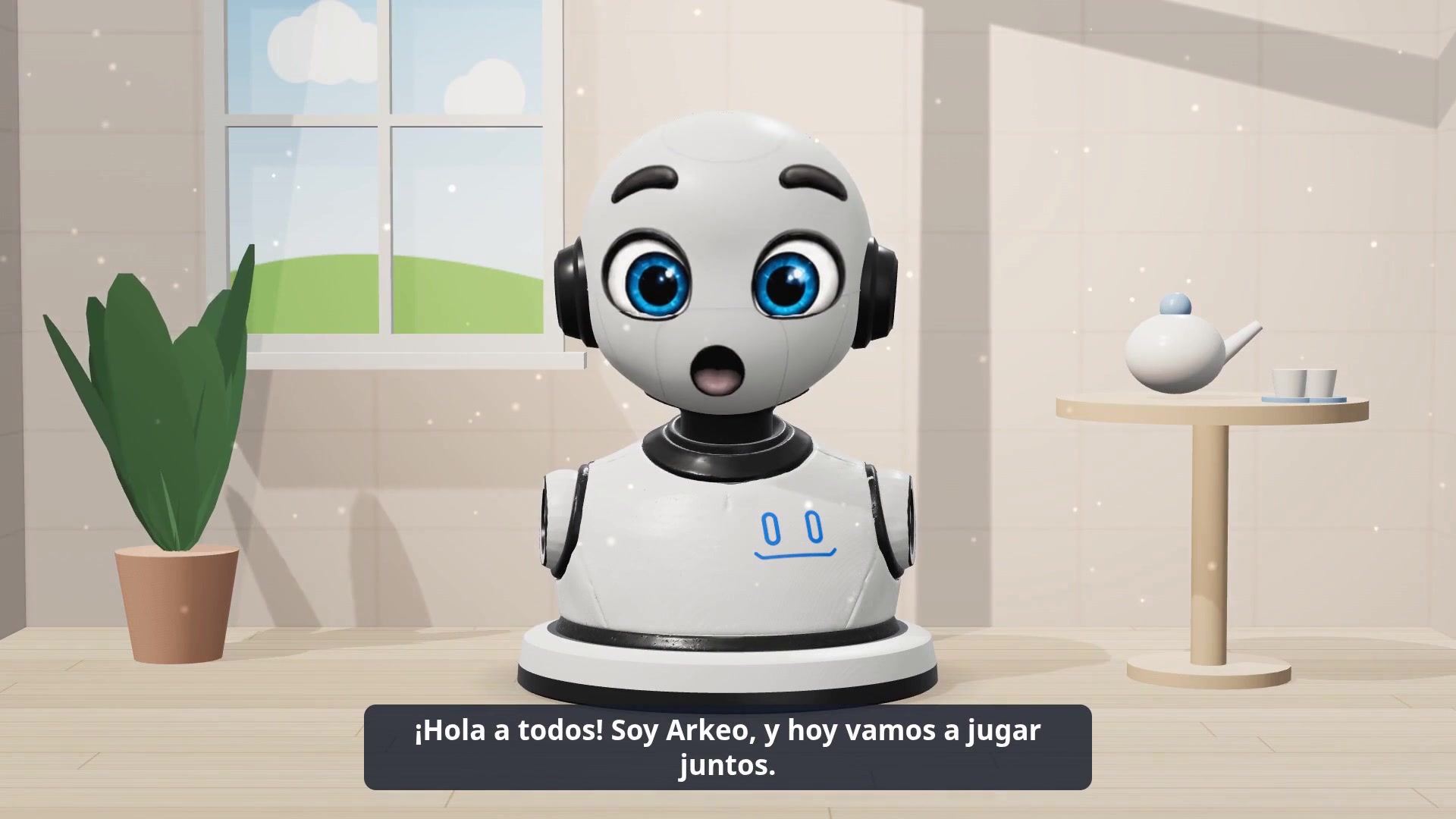
A friendly host
Arkeo greets, explains and speaks slowly, with natural pauses, so that everyone can follow.
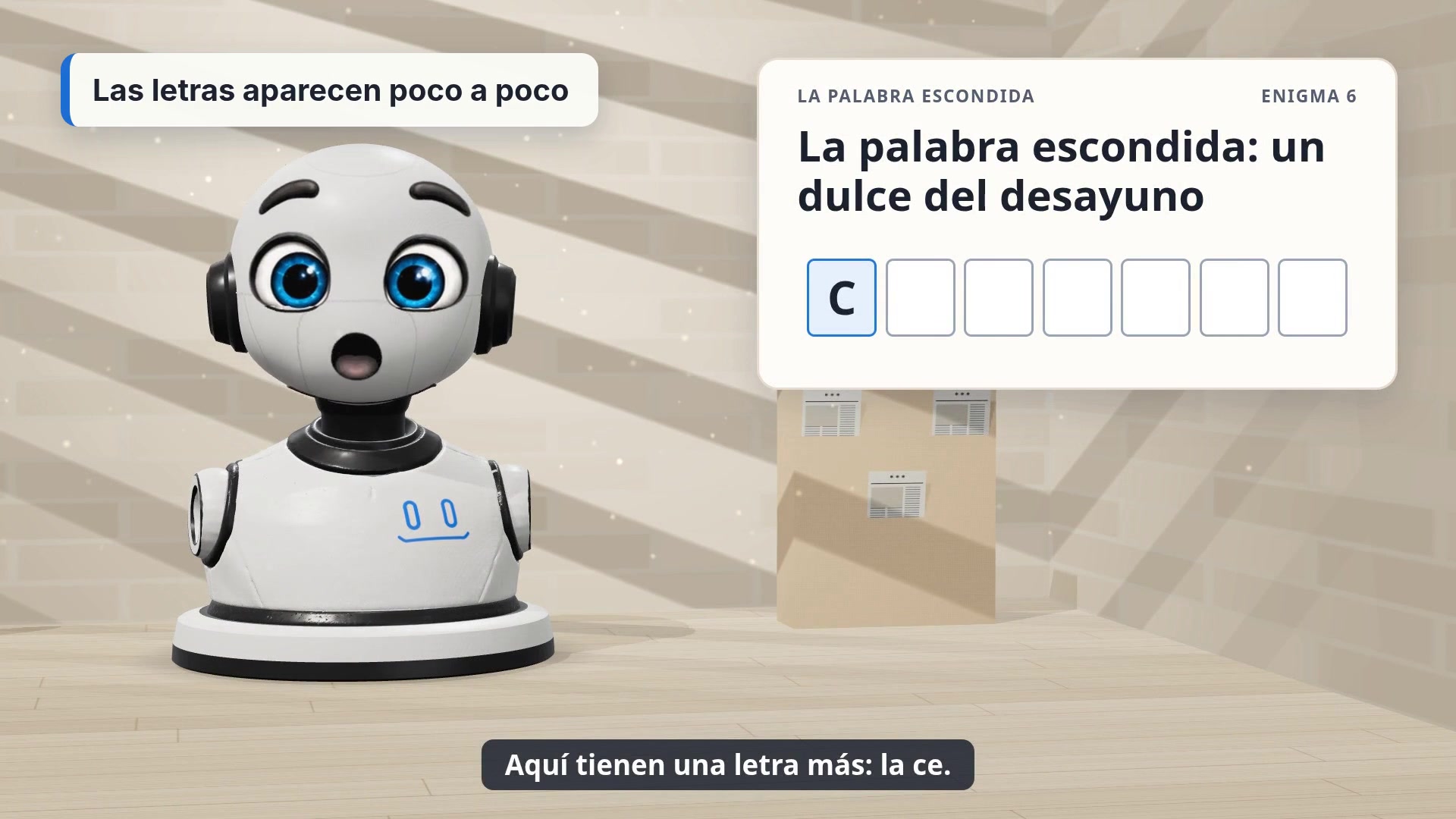
Memory and words
Riddles, proverbs, hidden words and memories of local culture.
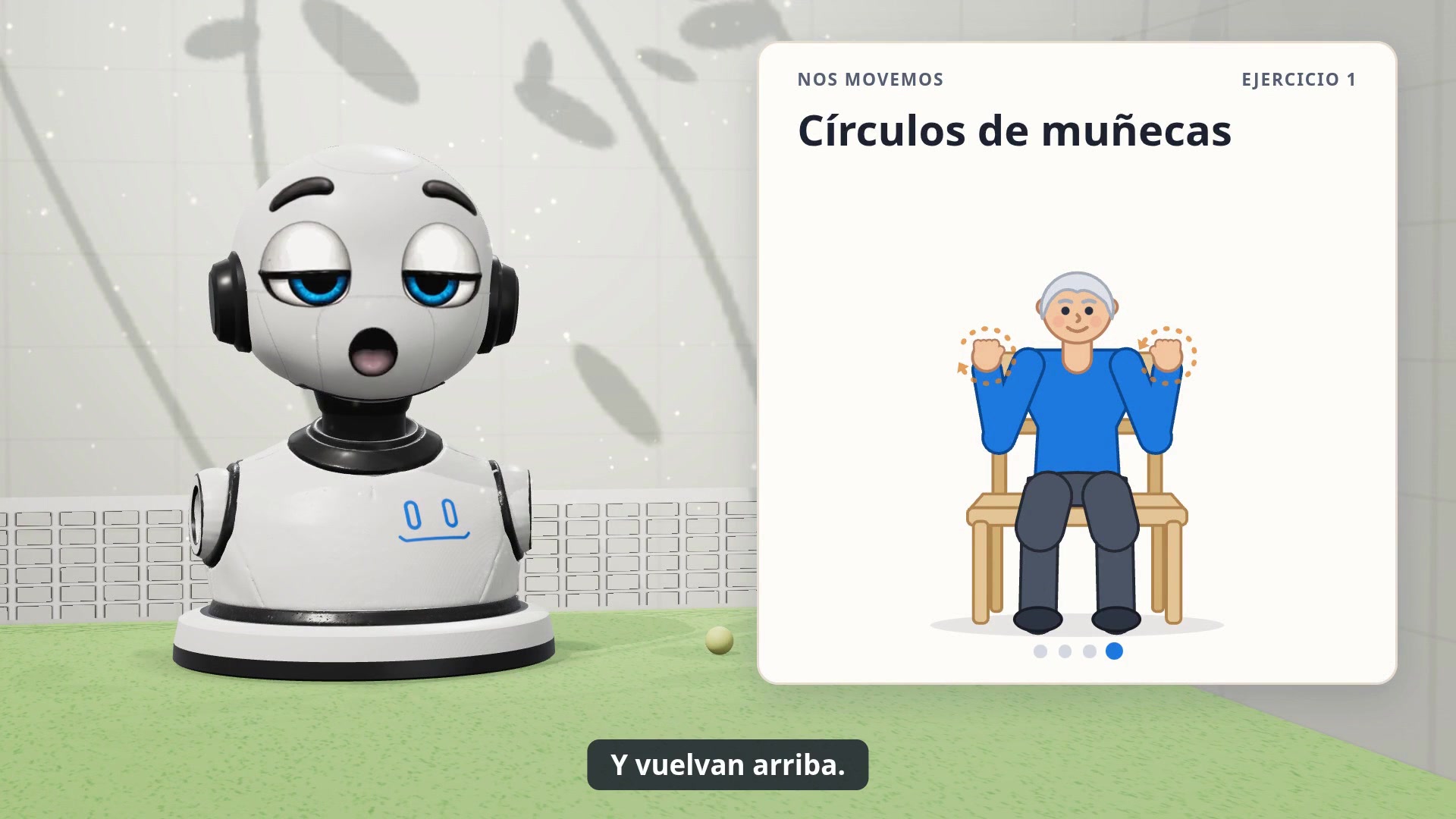
Gentle movement
Seated exercises, guided step by step and counted out loud.
Four group profiles, from independent to highly dependent: the pace, the voice and the difficulty adjust by themselves.
Up and running in 10 minutes
All you need is a Windows computer connected to the room's screen or projector, speakers and a microphone.
Download and install
A single file. The installation runs by itself and prepares the voices.
Enter your code
The code we send you opens a 30-day trial of the Premium plan.
Start the session
Arkeo leads it on the screen. Your team follows from the computer.
Ready to try?
Don't have a code yet? Write to us at contact@arkeobots.com
Pricing
Price per workstation, that is, per computer. No lock-in: cancel from the application itself.
Standard
€100 / month
or €1,000 per year
- Sessions of up to 30 minutes
- All activities and the four languages
- Updates included
Premium
€200 / month
or €2,000 per year
- Sessions of up to 1 hour
- Guided break in the middle of the session
- Everything in Standard
Taxes not included. Payment by card or SEPA direct debit.
Frequently asked questions
Discover
What is Arkeo Sessions?
A virtual host for group sessions in care homes and day centres. Arkeo, a 3D character, leads memory games, riddles, word games, conversation and gentle seated movement exercises on the room’s screen. The team stays with the group; Arkeo hosts.
Who is it for?
Care homes, day centres and organisations that run activities for older people. Arkeo Sessions is for professionals only.
In which languages?
Spanish, Catalan, French and English. The language is chosen for each session.
Is it a medical device?
No. Arkeo Sessions does not measure, assess or diagnose anyone. It is an activity tool and does not replace professionals.
Install
What equipment do I need?
A computer running Windows 10 or 11 (64-bit), connected to a TV, screen or projector in the room, with speakers and a microphone. A USB microphone placed in the middle of the group works; a conference microphone is ideal.
How do I install Arkeo Sessions?
Download the file from this page, double-click it, choose the language, then click “Next” and “Install”. The installation runs by itself and prepares Arkeo’s voices: allow about ten minutes with an internet connection. No administrator rights are needed. The “Arkeo Sessions” icon then appears on the Desktop and in the Start menu.
Windows shows a warning when I install.
Click “More info”, then “Run anyway”. The file is the official Arkeobots one.
Do I need internet?
For installation, account creation, licence renewal and updates. During a session, no: Arkeo works offline. Without internet, the licence stays valid for up to 7 days after its scheduled renewal date.
How do I update the app?
You don’t need to do anything. Updates download by themselves and install the next time you open the app.
How do I uninstall the app?
From the Start menu (Arkeo Sessions folder, “Uninstall”) or from Windows Settings, under Apps. Your account and licence are kept if you reinstall later.
Get started
How do I get a free trial?
With the trial code we email you: it opens 30 days of the Premium plan, for one computer, with no credit card and no commitment. One trial per organisation.
I don’t have a code.
On first launch, next to “No code yet?”, click the link “Request your free trial month”, fill in the form and send your request: we email you your code within 24 hours. Meanwhile, the app already works in limited mode, with 10-minute sessions. Or write to us at contact@arkeobots.com.
What happens when the trial ends?
If you don’t subscribe, the app keeps working in limited mode (10-minute sessions). You can subscribe at any time from the Profile page.
Use
How do I start a session?
Open the “New session” page, choose the language, the group profile, the programme (games, movement or both mixed) and the duration, then click “Start the session”. The “Start with the previous settings” button on Home reuses the settings of the last session.
How do I show the session on the TV?
Connect the TV or projector to the computer, then choose it on the “Devices” page. When you launch, the session shows full screen on the TV, and a small remote control stays on the computer screen for the host.
What is the group profile for?
It adapts the session to the group’s level, from the most independent (A) to the most dependent (D): question difficulty, number of choices offered, pace and speed of Arkeo’s voice, number of exercise repetitions.
How does the group answer?
Out loud. Arkeo listens, recognises the answer and reacts. The group can also ask for “a hint” or say “repeat”. The host can always accept or reject an answer themselves.
Can the host stay in control?
Yes, at any time, with the on-screen remote or the keyboard: Space to pause, right arrow to skip, R to repeat, H for a hint, B for a correct answer, F for a wrong answer, Esc to stop.
How long does a session last?
From 10 to 30 minutes with the Standard plan, up to 1 hour with the Premium plan. From 45 minutes on, Arkeo offers a guided break halfway through.
Where can I see how sessions are going?
On the app’s Home page: number of sessions and hours this month, regularity, programmes played, participation and mood. At the end of each session, the host can note the number of participants and their impression in two clicks.
Tablets
Can I install Arkeo Sessions on a tablet?
Yes, on a 64-bit Windows 10 or 11 tablet (Surface or equivalent): it installs like on a computer and counts as one seat. Not on an iPad or Android tablet: Arkeo’s voice and speech recognition run offline on the computer, which requires Windows.
Can I show the session on a tablet?
Yes. The computer runs Arkeo Sessions and the tablet acts as the screen: you just need a second-screen app, installed on both the computer and the tablet, that makes the computer see the tablet as a second display. On the “Devices” page, choose the tablet as the session screen. The microphone stays plugged into the computer.
Where does the sound come from?
From the computer. Plug in speakers near the group: the sound is louder and clearer than from a tablet’s speaker.
Is a tablet enough for a group?
For a small group of 4 to 6 people around a table, yes. For a whole room, use a TV or a projector.
Plans and payment
How much does Arkeo Sessions cost?
Standard: €100 per month or €1,000 per year, per seat, with sessions up to 30 minutes. Premium: €200 per month or €2,000 per year, per seat, with sessions up to 1 hour and the guided break. Prices exclude tax, no commitment.
What is a seat?
A computer on which Arkeo Sessions is used. Each seat can host its own group, for example one floor. You choose the number of seats when you subscribe and can change it afterwards.
How do I pay?
When you subscribe, the app offers a bank card or SEPA direct debit, or an invoice settled by bank transfer. Card and direct debit payments are handled by Stripe: Arkeobots never sees or stores your banking details.
Where do I find my invoices?
On the Profile page, “Manage subscription and invoices”. They are also emailed to you.
How do I change plan or cancel?
From the same page, “Manage subscription and invoices”, or by writing to contact@arkeobots.com. Cancellation takes effect at the end of the period already paid.
I’m changing computer.
On the new computer, install the app and fill in the form with the same email address as the first time: the computer joins your account, no code needed. Then click “Use the licence on this PC”. This is possible once a month; for any other case, write to us.
Data and privacy
Does Arkeo film or record residents?
No. Arkeo Sessions uses no camera. The microphone sound is used only to recognise answers, on the computer itself: it is not recorded, kept or sent anywhere.
What data do you keep?
The professional contact details of the organisation and its contact person, the subscription, and a numerical summary of each session (date, duration, programme, number of activities, optional host feedback). No data about residents. The details are in our privacy policy.
Help
Who do I contact if there’s a problem?
Write to contact@arkeobots.com: we reply on working days.
espeak-ng-source-724808c.tar.gz — espeak-ng source code (GPL-3.0) used by the speech synthesis of Arkeo Sessions.